Integrations
Open Settings → Integrations (sometimes labeled in the product around Code or Pipelines) to:
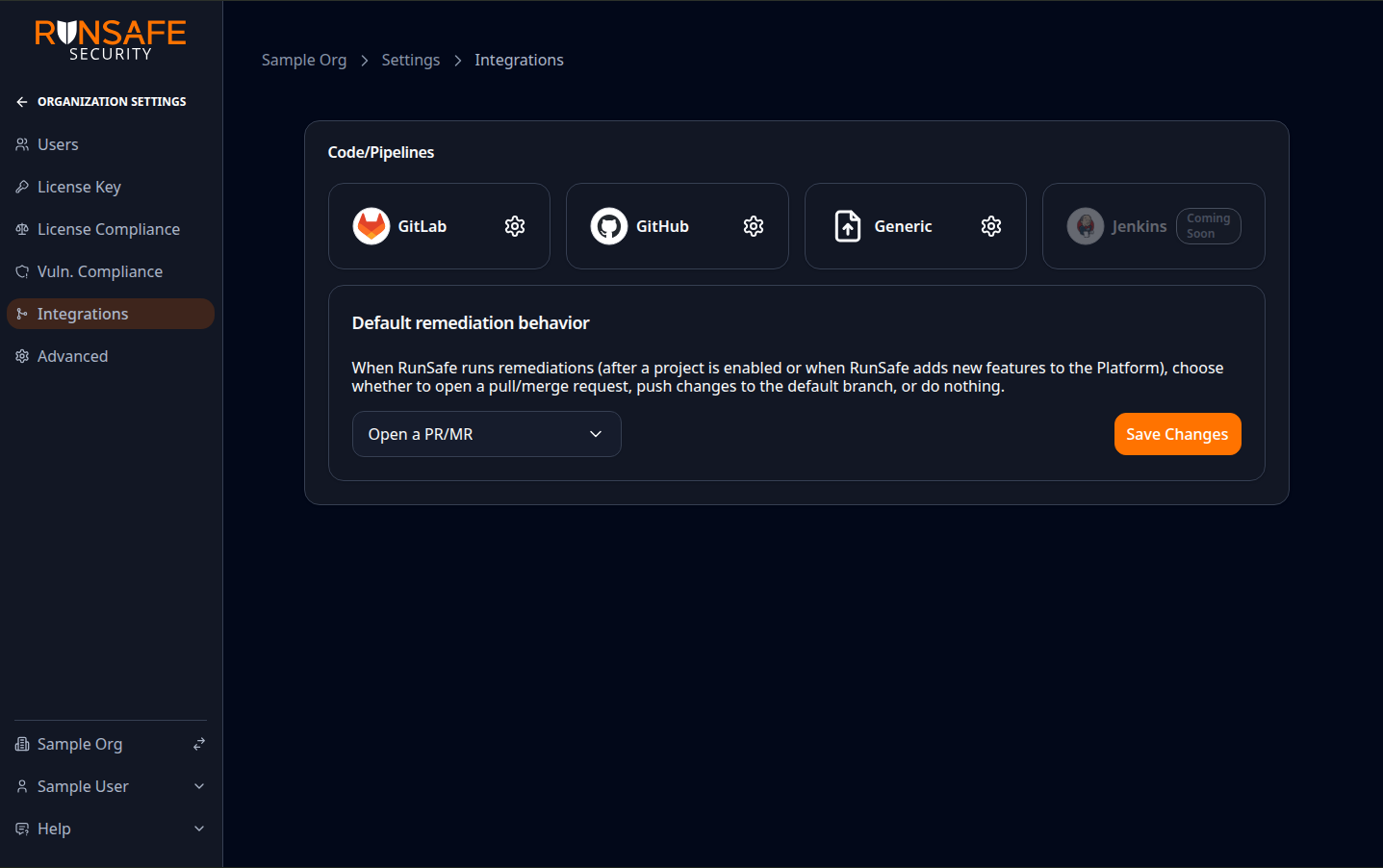
Connect GitHub or GitLab from the Code/Pipelines section, or create a Generic project when source control is not connected; set Default remediation behavior (for example open a PR/MR) and save.
- Connect GitHub or GitLab — Deep links to provider-specific setup pages where you install or configure the integration, OAuth, or GitHub App as required.
- Create Generic projects — Add manually managed projects that can receive uploaded SBOM data without connecting a source control provider.
- Adjust remediation-related options — Where the product exposes them, you can configure how findings and automation behave in connection with your repositories.
Provider-specific steps (repository selection, project tree, git ref filters) are completed on the GitHub or GitLab integration pages linked from here. Generic projects collect a name, description, and optional URL instead.
GitLab project configuration jobs
Configuring GitLab repositories runs as a background job so large selections can finish without blocking the browser:
- On Settings → Integrations → GitLab, select repositories (or groups) and the features to enable, then start configuration.
- The Platform opens a GitLab project configuration page that shows live progress, including which projects succeeded or failed.
- When configuration finishes, use links on that page to open each project's integration merge request (when one was created), return to configure more projects, or go to Projects.
If a project fails with a retryable error, use Retry, Retry remaining, or Retry configuration on the job page to start a new job for those projects. License-limit failures also offer retry after you free capacity or upgrade.
Only one GitLab configuration job can run for an organization at a time. If another job is already active, the Platform points you to that job instead of starting a second one.
Settings → Integrations also lists recent configuration jobs under Recent integrations so you can reopen an in-progress or completed job.
After projects succeed, follow the Post-configuration steps for GitLab (merge the generated MR and any manual CI steps).
GitLab organization authentication
Before anyone can select repositories, an organization admin must choose how the organization provides GitLab Maintainer access on Settings → Integrations → GitLab:
- OAuth — Each user who configures projects connects with their own GitLab Maintainer account. No organization-wide Maintainer token is stored.
- API Token — Submit a GitLab group, project, or personal access token with the
apiandwrite_repositoryscopes and at least the Maintainer role. Optionally set the GitLab Instance URL for self-hosted GitLab. That token is stored once and used for the whole organization whenever RunSafe needs to access GitLab.
Non-admins see a warning until an organization admin completes this setup step.
After setup
- OAuth organizations — Users who are not yet signed into GitLab for the organization use Connect with OAuth. When signed in, the project tree shows Signed into GitLab as … with a disconnect control that ends only that user's OAuth session.
- API Token organizations — Users share the stored Maintainer credential and can browse the project tree without a separate OAuth step.
- Reconfigure (organization admins only) — Clears the organization's Maintainer token or OAuth setup choice. An organization admin must complete the initial setup step again before projects can be configured.
- Update existing projects — If the organization authentication method changes while projects are already configured, the Platform blocks further configuration until an organization admin runs Update existing projects. That starts a background job (same progress page as GitLab project configuration jobs) so existing projects use the new method.
GitLab.com Free groups (OAuth)
When the organization uses OAuth, configuring a project creates a GitLab Developer project access token. On GitLab.com, those tokens require a paid namespace (Premium or higher). Groups that do not support that appear locked in the project tree with the message that they require features that only work on paid versions of GitLab. Self-managed GitLab and organizations that use a shared API Token do not apply that lock the same way, because they do not mint those project tokens for configuration.
GitHub App checks
When a GitHub repository is configured with Identify, the Platform reports scan progress back to GitHub as check runs on the relevant commit:
- RunSafe SBOMs shows SBOM generation progress and links back to the Platform SBOM views for that project and git ref. The check details page, each listed report, and the overflow “view all” link when many SBOMs were generated all open the matching project-scoped SBOM list or report.
- RunSafe License Compliance Check waits for the SBOM data it needs, then evaluates the project's effective license compliance policy.
- RunSafe Vulnerability Compliance Check waits for the SBOM data it needs, then evaluates the project's effective vulnerability thresholds.
The license and vulnerability compliance checks may stay in progress while SBOMs and reports are still being generated. When they complete, their result reflects the organization defaults or the project's override when one is active.
Build-time SBOMs from GitHub Actions
Repositories that use the RunSafe GitHub Actions integration can add build-time SBOMs, such as C/C++, Docker, and .NET SBOMs, to the same RunSafe SBOMs check run. The Platform tracks those workflow runs separately from non-buildtime SBOM scans and updates the check as each SBOM and report finishes.
If a workflow is re-run, the Platform refreshes the build-time SBOM state for the new attempt so stale SBOM rows from the previous attempt do not remain in the GitHub check. If expected build-time SBOMs are missing, review the workflow configuration in the RunSafe GitHub Actions README.